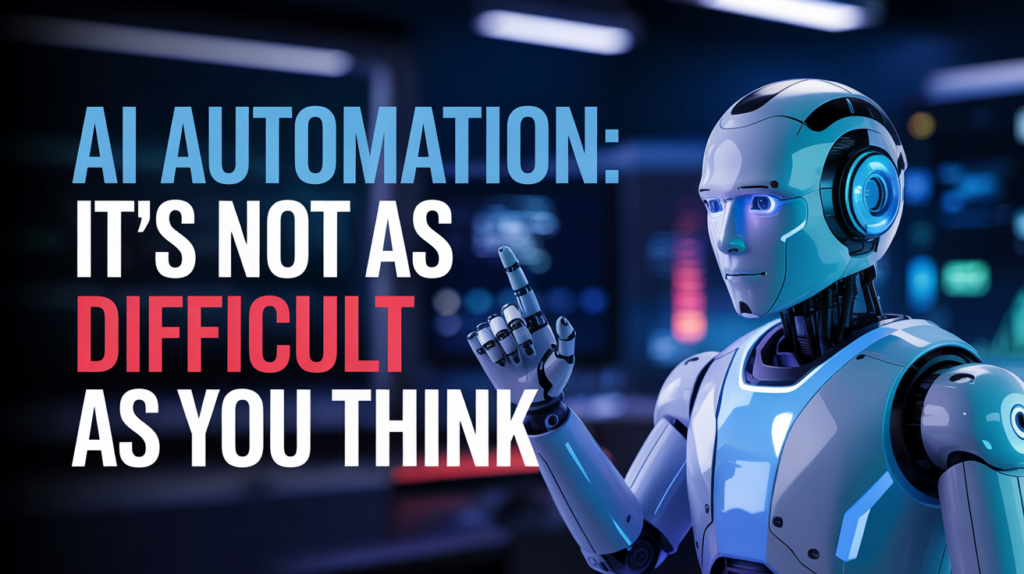
Introduction: Why AI Automation Doesn’t Have to Be Intimidating
If you’re reading this, chances are you’re either curious about AI automation or feeling a little overwhelmed by the whole idea. Trust me, I get it. When I first started working with AI automation, I felt like I was staring into a black hole of jargon, complicated algorithms, and expensive software. But here’s the good news: AI automation isn’t as difficult as you think.
As someone who’s been in the trenches, automating everything from customer service workflows to high-level business processes, I can confidently say that getting started is not only doable—it’s incredibly rewarding. In this article, I’m going to walk you through exactly how AI automation works, why it’s more accessible than ever, and how you can start implementing it today, even if you’re not a tech wizard.

What is AI Automation?
AI automation combines artificial intelligence (AI) with automation tools to create systems that can learn, adapt, and execute tasks without human intervention. Think of it as giving your business a supercharged assistant that never sleeps, doesn’t make mistakes, and continuously learns to do better.
Key Concepts:
- Machine Learning: AI’s ability to learn from data.
- Natural Language Processing (NLP): Enables machines to understand and respond to human language.
- Computer Vision: AI’s ability to interpret visual information.
- Robotic Process Automation (RPA): Automating repetitive tasks traditionally done by humans.
My Journey into AI Automation
I remember one of my first automation projects involved creating a chatbot for a client’s customer support system. Back then, the tools were clunky, and training the bot felt like teaching a toddler to speak. But over time, the technology evolved—and so did my understanding.
Today, platforms like Zapier, Make (formerly Integromat), and tools like ChatGPT, Google AutoML, and Microsoft Power Automate have made AI automation more intuitive and cost-effective. I’ve helped small businesses save hundreds of hours and increase revenue by simply automating mundane tasks.
Why AI Automation Matters Now More Than Ever
1. Efficiency and Productivity
Automation reduces manual labor, which frees up time for creative and strategic tasks. Whether you’re a solopreneur or leading a team, AI automation helps you do more with less.
2. Cost Reduction
Automating tasks like data entry, customer inquiries, and report generation drastically cuts down labor costs. I once helped a client cut 40% of their operational costs by automating their sales funnel follow-ups.
3. Scalability
With AI, you can scale your operations without increasing your workload. Your AI systems grow with your business.
4. 24/7 Availability
Unlike humans, AI tools work around the clock. Your business never sleeps, which means you’re always ahead.
Debunking the Myths: Why AI Automation Isn’t Just for Tech Giants
Myth 1: You Need to Know How to Code
This is perhaps the biggest misconception. Many AI automation tools are now no-code or low-code. Tools like Zapier, Notion AI, and Pabbly Connect offer drag-and-drop features that anyone can use.
Myth 2: It’s Expensive
Yes, big enterprises spend millions on automation. But you don’t have to. Many platforms offer free tiers or affordable plans. I started automating using free tools and slowly scaled as the ROI became clear.
Myth 3: It Will Replace All Jobs
AI doesn’t eliminate jobs—it changes them. It removes repetitive work and creates opportunities for more meaningful, creative tasks. My clients often find their teams more engaged after automation is introduced.
How to Get Started with AI Automation (Step-by-Step)
Step 1: Identify Repetitive Tasks
Start by listing down tasks you or your team repeat daily—data entry, email responses, lead follow-ups, appointment scheduling, etc.
Step 2: Choose the Right Tools
Here are some beginner-friendly tools:
- Zapier: Automate tasks between web apps.
- Make.com: Offers complex workflows with visual scripting.
- n8n: Same as zapier and Make.com but much more advanced.
- ChatGPT API: Great for AI-driven content and support.
- Google Sheets + AI: Automate reports, data analysis.
- Tidio or ManyChat: For automating customer conversations.
Step 3: Start Small
Pick one process and automate it. For example, automate your email follow-up sequence for new leads.
Step 4: Test and Optimize
Run your automation, observe, and refine. Most tools offer logs and error reports to help you troubleshoot.
Step 5: Scale Gradually
Once you’re confident, move on to more complex tasks like CRM updates, customer segmentation, or AI-driven content creation.
Real-Life AI Automation Use Cases I’ve Implemented
1. E-commerce
- Automated abandoned cart emails
- AI product recommendations
- Customer service chatbots
2. Digital Marketing
- AI content creation using ChatGPT
- Automated campaign tracking with Google Analytics & Sheets
- Lead scoring using AI
3. Customer Support
- AI-powered ticketing system
- Voice recognition for support calls
4. Internal Operations
- Employee onboarding automation
- Daily KPI reports using AI bots
Common Challenges and How to Overcome Them
Challenge 1: Data Quality
Bad data = bad AI. Make sure your data sources are clean and reliable.
Challenge 2: Tool Overload
Don’t try to use every tool out there. Stick to 2–3 core platforms and integrate wisely.
Challenge 3: Team Resistance
People fear change. Educate your team, show the benefits, and involve them in the process.
My Favorite Tools and Resources for Learning
- Zapier University – Great for beginners
- OpenAI Documentation – Learn how to use GPT models
- Automation Academy by Make – Visual workflow learning
- AI newsletters like The Rundown or TLDR AI
FAQs about AI Automation
What is AI Automation?
AI Automation refers to the use of artificial intelligence to automate tasks that normally require human intelligence, such as decision-making, language processing, or visual recognition.
Is AI Automation expensive?
No, many tools offer free or low-cost plans. You can start small and scale up based on your needs and budget.
Do I need to be a developer to use AI Automation?
Absolutely not. Many platforms today are designed for non-technical users with drag-and-drop functionality.
What tasks can I automate?
Anything repetitive: email follow-ups, data entry, report generation, social media posting, customer responses, etc.
Will AI replace my job?
AI is more likely to augment your role by removing tedious tasks, allowing you to focus on creative, strategic work.
Final Thoughts: The Future is Automated—And You’re Ready for It
I’ve seen businesses go from chaotic to streamlined, and solopreneurs grow like enterprises—all thanks to smart AI automation. The tech is here. The time is now. And trust me, it’s not as hard as it looks.
The best part? You don’t have to do it alone.
Ready to Take the Next Step?
Schedule a personalized consultation with me and let’s discuss how we can integrate AI automation into your workflow. Together, we’ll design a custom automation roadmap tailored to your goals.
👉 Click here to book a free discovery call
Or visit my contact page to get started.
Let’s make your business smarter, faster, and future-ready.